Build custom business applications without complex development

Microsoft Power Apps

Microsoft Power Apps enables organisations to quickly build custom business applications that connect data, automate processes, and solve specific operational challenges without traditional software development.

It empowers teams to create apps that improve productivity, reduce manual processes, and bring data together from multiple systems including Microsoft 365, Dynamics 365, and external platforms.

140%

ROI over three years

8.32

Million USD net present value

45%

decrease in application development costs

TURN MANUAL TASKS INTO AUTOMATED PROCESSES

What is Microsoft PowerApps?

Microsoft Power Apps is a low-code application development platform that allows businesses to create custom apps tailored to their exact needs.

These applications can be used across web, mobile, and tablet devices, giving users access to critical business tools wherever they are working.

Power Apps is commonly used to:

  • Replace manual spreadsheets and paper-based processes
  • Build internal business applications quickly
  • Connect and centralise data from multiple systems
  • Improve field service and mobile workforce operations
  • Digitise workflows across departments
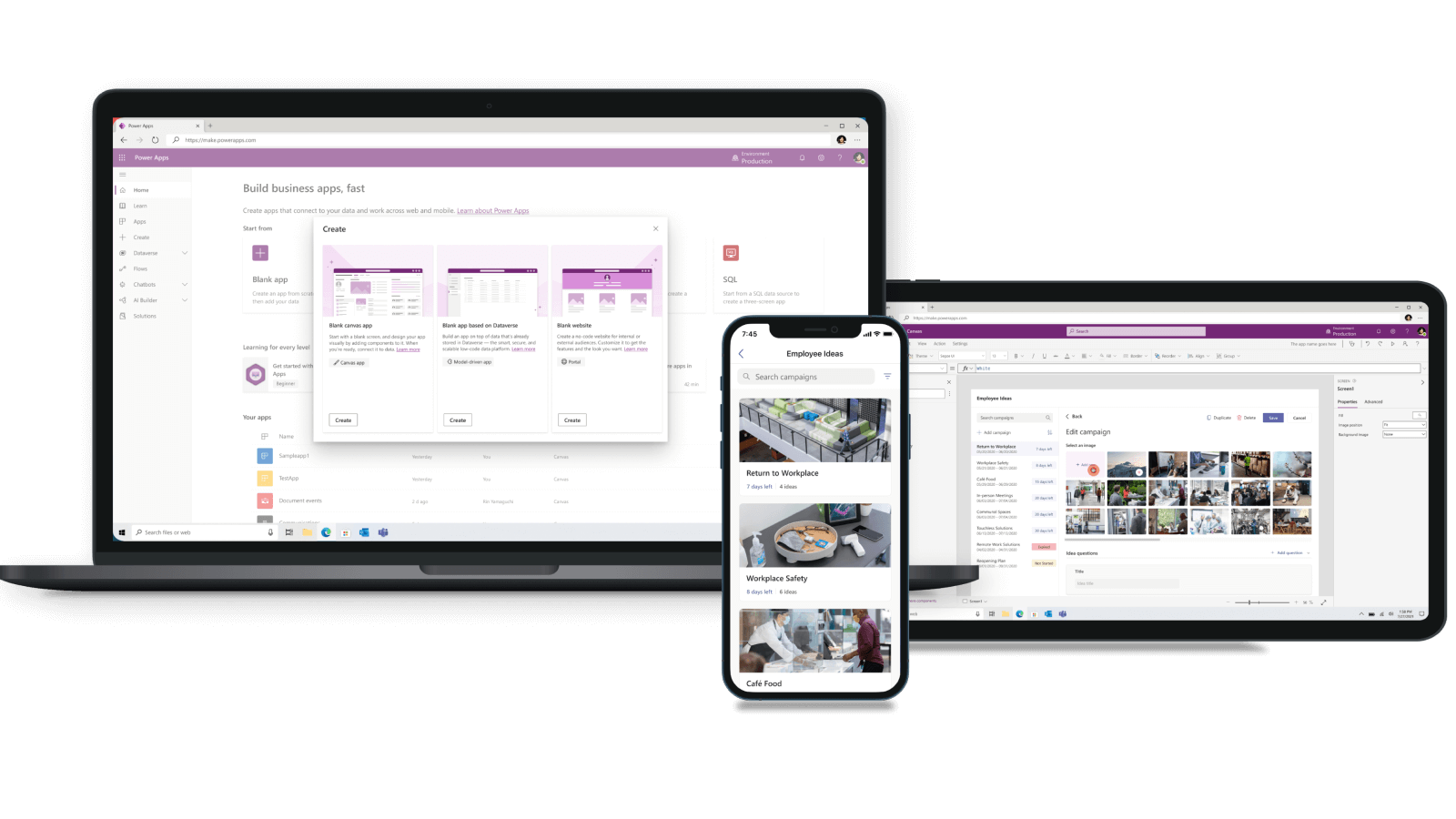
Microsoft Power Apps screens showing low-code app creation across devices with a purple interface and data dashboards for business workflows.

OPERATE ON ANY DEVICE, WEB, MOBILE OR PC

Why businesses use Power Apps

Many organisations rely on outdated systems, spreadsheets, or disconnected tools. This creates inefficiencies, duplication of effort, and limited visibility across operations.

Power Apps solves this by allowing businesses to build tailored applications that fit existing processes rather than forcing process change around rigid software.

Key benefits include:

  • Faster application development compared to traditional coding
  • Reduced reliance on external software development costs
  • Improved operational efficiency and accuracy
  • Better access to real-time business data
  • Scalable applications that grow with your business

SAVE TIME WITH AUTOMATED PROCESSES FOR SMES

How Microsoft Power Apps works

Power Apps uses a low-code environment that allows users to design applications using drag-and-drop components and pre-built templates.

Applications connect to data sources through connectors such as:

  • Microsoft Dataverse
  • SharePoint
  • Excel and OneDrive
  • Dynamics 365
  • SQL Server and third-party systems

Apps can then trigger workflows, display dashboards, capture data, and automate processes across the business.

Microsoft Power Apps screens showing low-code app creation across devices with a purple interface and data dashboards for business workflows.

MICROSOFT DYNAMICS 365 POWER APPS

Types of Power Apps

Canvas apps

Canvas apps allow complete design flexibility. Users can build highly customised interfaces and user experiences tailored to specific tasks or teams.

Model-driven apps

Model-driven apps are structured around your data model and are ideal for complex business processes such as CRM, case management, and finance workflows.

Power Pages integration

Power Apps can also extend into external-facing portals, allowing customers, partners, or suppliers to interact with business data securely.

.

Key features of Microsoft Power Apps

Low-code development

Build applications quickly without advanced programming skills.

Seamless Microsoft integration

Fully integrates with Microsoft 365, Dynamics 365, Teams, SharePoint, and Power Platform.

Mobile-ready applications

Apps are automatically optimised for mobile, tablet, and desktop use.

Secure data management

Enterprise-grade security and compliance through Microsoft Dataverse and Azure.

AI capabilities

Use AI Builder to automate data capture, predictions, and document processing.

.

Business benefits of Power Apps

Organisations using Power Apps typically experience:

Increased productivity

Automate manual processes and reduce time spent on repetitive tasks.

Reduced development costs

Build internal tools without relying on expensive custom software development.

Improved data accuracy

Eliminate spreadsheet errors and disconnected systems.

Faster process innovation

Rapidly develop and deploy new applications in response to business needs.

Better employee experience

Give teams tools that are designed specifically for how they work.

.

Common Power Apps use cases

  • Employee onboarding and HR request systems
  • Field service reporting and mobile inspections
  • Sales tracking and CRM extensions
  • Health and safety reporting forms
  • Asset and inventory management tools
  • Project tracking and approval workflows
.

Power Apps and Microsoft ecosystem integration

Power Apps works seamlessly across the Microsoft ecosystem, including:

  • Microsoft 365 for collaboration and document management
  • Dynamics 365 for CRM and ERP data integration
  • Power Automate for workflow automation
  • Power BI for reporting and data visualisation
  • Microsoft Teams for collaboration and app access

This creates a unified digital environment where data and processes are connected across the organisation.

.

Power Apps and digital transformation

Power Apps is a core component of Microsoft’s Power Platform and plays a key role in digital transformation strategies.

It enables organisations to modernise legacy systems, replace manual processes, and build scalable applications that evolve with business needs.

When combined with Power Automate and Power BI, Power Apps forms a complete low-code ecosystem for business innovation.

.

Why choose Monpellier for Power Apps

Monpellier helps organisations design and deploy Power Apps solutions that are tailored to real business challenges.

We support businesses with:

  • Process analysis and app opportunity identification
  • Custom Power Apps design and development
  • Integration with Microsoft 365 and Dynamics 365 systems
  • Ongoing optimisation and support

BUILD APPLICATIONS FASTER- WITH FEWER RESOURCES

PowerApps Overview

Power Apps Pricing

Prices below do not include implementation and support. Contact us for a full cost breakdown.

Per app licence

£4.92 £
  • Build two custom apps and use one PowerApps portal
  • Use custom and pre-built data connectors
  • Connect to your data with on-premises connectors
  • Create custom entities to store your data
  • Manage workflows with Power Automate (previously Microsoft Flow)
  • Use premium connectors and access real-time workflows
Get Power Apps Premium

per named user/app/month

Popular

Power Apps Premium

£16.40 £
  • Run an unlimited number of custom apps and portals
  • Connect to your data sources with PowerApps pre-built and custom connectors
  • Create and manage custom data entities
  • Use customised on-premises gateway
  • Use Power Automate premium connectors to execute workflows
  • Access synchronised, real-time workflow processes
Get Power Apps Premium

per named user, per month

Seeking cost-effective development and enhanced efficiency?

Need a better way to manage your business processes?

Speak to Monpellier about Microsoft Power Apps and discover how custom applications can improve efficiency, reduce manual work, and streamline operations across your organisation.

Contact us today to arrange a consultation.

Email

info@monpellier.co.uk

Phone

0191 500 8150

Our Locations

Evolve Business Centre, Rainton Bridge Business Park, Cygnet Way, Houghton le Spring, Sunderland, DH4 5QY